Business websites
Should Your Business Stay on WordPress or Move to an AI-Built Website?
For many contracting and service businesses, websites are primarily designed to generate leads, showcase projects, establish credibility, and rank in Google. The best platform is the one that supports those jobs without making every update expensive or complicated.
WordPress has helped businesses do that for years. AI-assisted development offers another approach: describe the change you want, review the result, and publish a website built around your business.
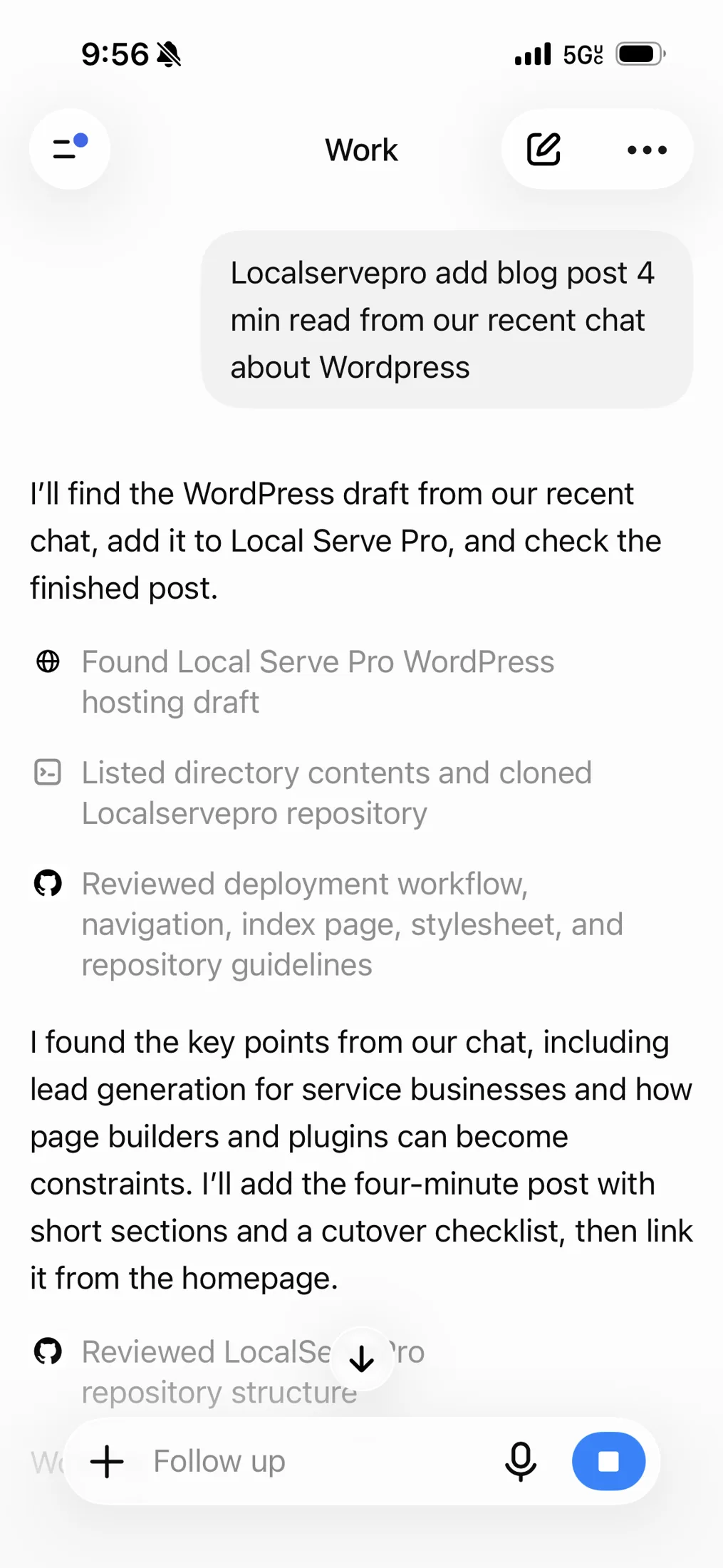
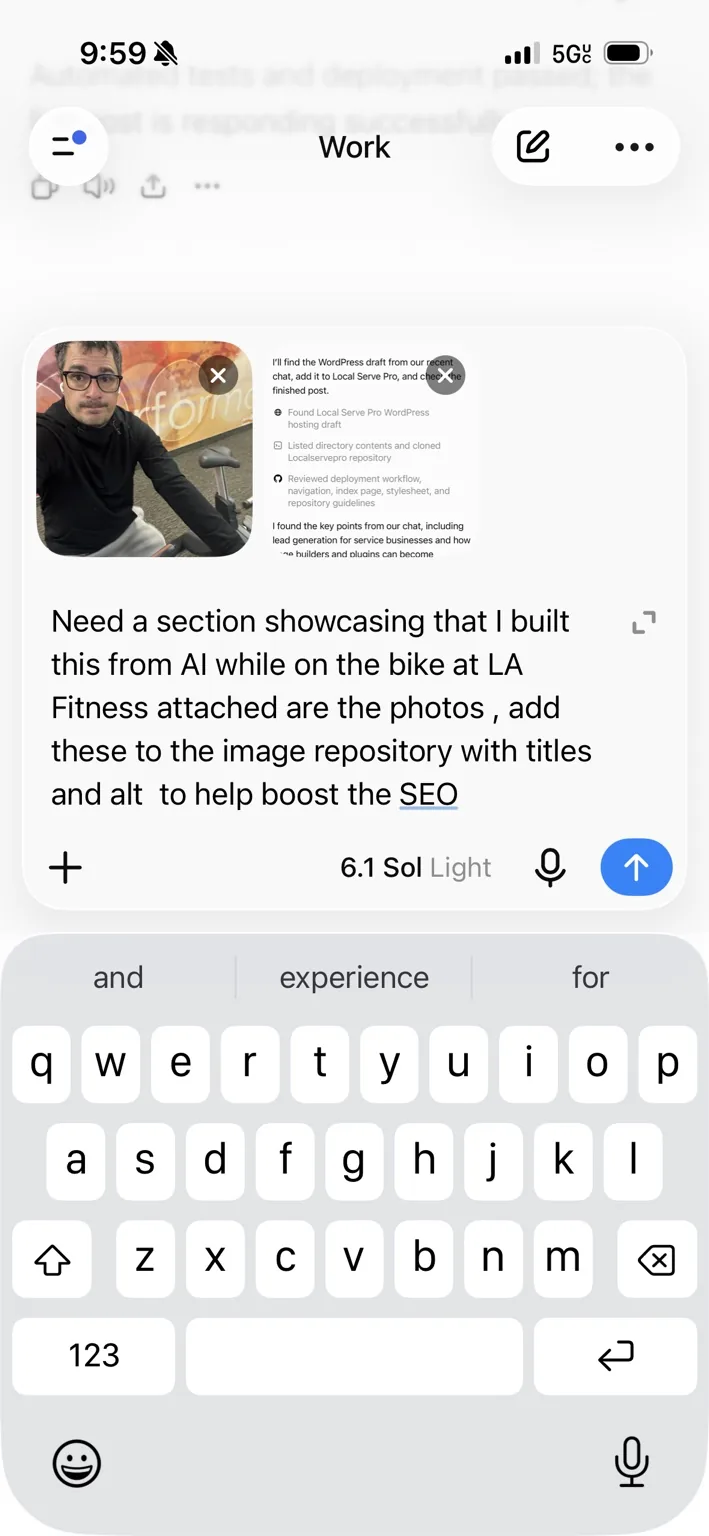
I built this post with AI while riding a bike at LA Fitness.
This post is a real example of the workflow. I was on a stationary bike at LA Fitness, using ChatGPT on my phone to turn our WordPress discussion into a blog post and publish it on LocalServePro.
I described what I wanted, then followed up with these photos and asked for this section. That is the appeal of AI-assisted website editing: you can turn an idea into a published update from wherever you have your phone.

What “AI hosting” actually means
AI helps create and update the website; hosting makes it available online. Those are separate decisions, even when a service combines them in one interface.
An AI-built site might use straightforward HTML or a custom application, hosted on a platform such as Cloudflare. You still need a domain, dependable hosting, backups, and someone responsible for checking changes.
Drag-and-drop editors solved a problem. AI changes the tradeoff.
Visual editors made it possible to build pages without writing code. For business owners, dragging a section into place was a major improvement over waiting on a developer for every change.
But those editors also define what you can build. You learn their menus, work within their layouts, and sometimes add extensions to get a seemingly simple result.
With AI-assisted development, you can ask for the outcome: “Add a project gallery with filters for roofing, siding, and gutters.” For a straightforward site, describing the result and reviewing it can take less effort than learning how to assemble it inside a page builder.
Plugins can become the work
The WordPress plugin ecosystem is useful because so much is already available. The challenge is fitting those pieces to your business and keeping them working together.
A lead form might involve a form plugin, a paid integration, a spam tool, and separate notification settings. Learning those systems and their limitations can become harder than building a small, focused workflow with AI assistance.
Custom code still needs maintenance. The opportunity is to reduce unnecessary moving parts, while keeping established services where they do the job well.
Compare the total cost of ownership
Cheap hosting does not tell you what a website costs to operate. Compare a full year of expenses and the time your team spends managing it.
- WordPress: hosting, premium themes, plugin renewals, backups, security, updates, and support.
- An AI-built site: AI tools, hosting, forms or email services, integrations, testing, and technical help when needed.
A small informational site may need very little infrastructure. A customer portal or online store needs more planning, regardless of how the code was created.
When staying on WordPress makes sense
Keep a site that is working well unless a change solves a real problem. A rebuild should improve your business, not simply follow a trend.
- Your staff regularly publishes content and likes the editing process.
- Your store, membership system, or booking workflow depends on established plugins.
- Your site generates leads reliably and maintenance costs are reasonable.
- You have dependable support and no clear benefit from switching.
When an AI-built website is worth considering
A simpler site can be a good candidate when most pages explain services, show completed work, and help customers contact you. The strongest reason to switch is gaining useful control over changes.
- Small edits regularly require a support ticket or developer invoice.
- You pay for several plugins to support a basic website.
- The page builder makes mobile layouts or custom features difficult.
- You want a specific business workflow that existing tools only partly support.
Protect your rankings, leads, and email before switching
A new design is only part of a migration. The expensive mistakes happen when a working page disappears, a form stops delivering, or a DNS change disrupts business email.
- Inventory the existing site. Record important pages, URLs, content, downloads, and integrations. Keep a complete backup.
- Preserve search signals. Keep useful URLs where possible. Map changed URLs to permanent redirects and carry over page titles, descriptions, and important content.
- Test every lead path. Submit forms, confirm delivery, check CRM records, and test phone links and call tracking on mobile.
- Protect email and DNS. Record existing settings and preserve mail-related records when changing website hosting.
- Verify measurement. Check analytics, conversion events, consent behavior, and Search Console after launch.
- Plan recovery. Use a preview, retain the old site, and know how to restore the previous version if something fails.
You still need someone accountable
AI can accelerate building and editing. It does not establish whether your content is accurate, your forms deliver, or a change preserves your search traffic.
Whether you work with an agency, a developer, or someone on your team, define who owns the domain, hosting account, source code, and customer data. Make sure you can access and move them.
Start with the problem you want to solve
Write down what frustrates you about your current site, what it costs, and what you want to change. Then compare staying, simplifying your WordPress setup, and rebuilding with AI against those needs.
Want help making that decision? Book a free 20-minute conversation with LocalServePro. We can review your current setup and identify a practical next step.